Compare Interview Outfit Notes
Compare Interview Outfit Notes
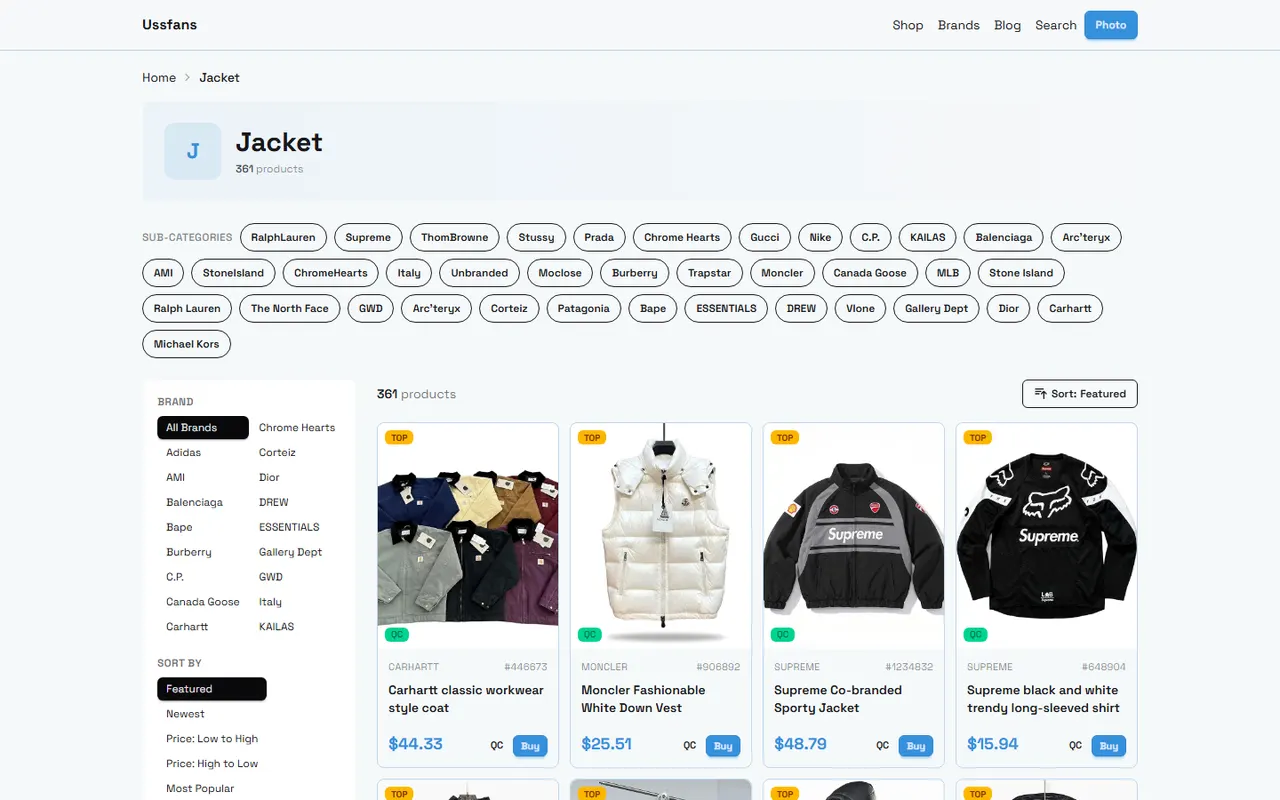
Interview outfit challenges are often not about finding a single formal-looking piece, but about confirming that when the jacket, shoes, and accessories are placed in the same outfit, the image notes and spreadsheet information do not contradict each other. If color, silhouette, formality, and pending details are scattered across different locations, candidate comparison becomes difficult to standardize.
This guide is for people who need to view product candidates in the ussfans website spreadsheet and use Google Sheets to organize complete interview outfits. After reading, you should be able to do three things: create unified notes for jacket, shoes, and accessories; cross-check image previews against spreadsheet fields; and form a main outfit, alternative items, and pending items.
Images can only help judge visible appearance, not fabric feel, true color, inventory, size fit, or item condition. For such information, return to the product page, specification fields, QC photos, or confirmations available before ordering. 🧾
First Define Conflict Types for the Complete Interview Outfit
Before starting the comparison, define "conflicts" into observable types rather than vaguely writing "doesn't look right." Common conflicts include:
Color conflict: The hues of jacket, shoes, or accessories compete for attention, or the color names in images and notes are inconsistent.
Formality conflict: The jacket leans formal, but shoes or accessories have obvious casual elements, causing an inconsistent overall style.
Silhouette conflict: The jacket is oversized, slim, or has an unusual length, while other items do not form a coordinated volume relationship.
Scenario conflict: Notes say traditional office interview, but the item's appearance leans casual, street, or event-oriented.
Evidence conflict: Images show color and rough silhouette, but cannot prove fabric, thickness, stretch, or actual color difference.
Record conflict: Notes in the website spreadsheet, the Google Sheets organization, and image filenames point to different products.
Defining conflict types first avoids writing subjective preferences as product facts. For example, "I don't like wide shoulder silhouettes" is a personal choice; "image shows shoulders noticeably wider than described in notes" is a record issue needing further verification. 🔎
View Item Cards in the ussfans Website Spreadsheet
When viewing candidate products in the ussfans website spreadsheet, first set a consistent reading order. Do not just look at the thumbnail and copy the title, because image previews and product fields serve different purposes.
First, confirm the product identity. Record the item name, row or card location, and distinguishing model, color, or other visible identifiers. If multiple candidates have similar names, retain enough distinguishing information to avoid writing image notes for one pair of shoes onto another.
Second, look at the image preview. Record only what the image directly supports, such as:
Main color and obvious color pairing
Rough silhouette of jacket, shoes, or accessories
Visible shape of toe, sole, bag body, or embellishments
Presence of obvious patterns, metal hardware, logos, or decorations
Any cropping, shadows, or obstructions in the product image that affect judgment
Third, check the notes field. Divide notes into "visible in image," "provided by page fields," and "not yet confirmed." This avoids writing speculation as fact and facilitates filtering in Google Sheets later.
Fourth, separately mark content that requires going back to the product page for confirmation. Price, inventory, available sizes, material, seller information, shipping, and return conditions may change, so a single preview image cannot be saved as current facts long-term. Before publishing or ordering, use the page information available at the time and record the verification date.
Build Note Rows for Jacket, Shoes, and Accessories in Google Sheets
The purpose of Google Sheets is not to replace the ussfans product page, but to place the entire outfit in the same comparison framework. It is recommended to have one row per item and keep a clear combination ID for each candidate set, such as "Interview Set A."
Recommended fields:
Field | Recording Method | Verification Purpose |
|---|---|---|
Combination ID | A, B, C, etc. | Distinguish different complete outfits |
Item Category | Jacket, Shoes, Accessories | Confirm completeness of outfit |
Product Identity | Name, color, model, or card location | Prevent mismatched images and notes |
Image-Visible Info | Color, silhouette, decorations | Record only what can be judged from image |
Formality Assessment | Formal, semi-formal, casual-leaning, pending | Check scenario consistency |
Conflict Type | Color, silhouette, scenario, evidence, or none | Make issues filterable and reviewable |
Pending Items | Material, color difference, size, inventory, etc. | Avoid treating unknowns as conclusions |
Verification Date | Specific date | Identify potentially outdated information |
"Image-visible info" and "pending items" should be filled separately. For example, if the image shows a dark single-breasted jacket, record "dark color, single-breasted, clean silhouette"; but do not write "wool fabric, thick, suitable for all seasons" based only on the image.
Also be restrained with colors. Record "appears dark gray in image" and put "possible color difference across screens" in pending items. Unless the page provides a clear color name or specification, do not upgrade visual judgment to an exact color code. 📋
Cross-check Path Between Image Preview and Spreadsheet Fields
After initial recording, review in the order of "identity, appearance, scenario, unknowns," rather than randomly editing text while looking at images.
For identity check, verify that image, product name, and combination ID in the sheet correspond to the same candidate. If image filenames or card positions cannot distinguish multiple similar items, mark as "identity pending" and do not infer outfit results.
For appearance check, compare only visible content. Check if color, brightness, pattern, silhouette, and decorations match notes. If notes say "understated and plain," but the image shows obvious metal hardware, revise notes or mark a conflict.
For scenario check, place jacket, shoes, and accessories in the same row or combination view. Check if they collectively serve the intended interview scenario. Formality is not an absolute grade but a relative relationship within the outfit. An item may look formal alone but still appear too casual or too flashy in another combination.
For unknowns check, remove all adjectives without evidence support, such as "premium," "comfortable," "definitely fits," "wrinkle-resistant," or "true color." Without page specifications, clear images, or independent measurements, these should not be comparison conclusions.
Use simple status terms in Google Sheets:
Verified: Image and spreadsheet fields are consistent.
Conflict: At least one visible item of information is inconsistent.
Pending: Image or page data insufficient to judge.
Excluded: Does not fit this interview scenario or product identity cannot be confirmed.
Such statuses are more traceable than simple scores and do not disguise uncertain information as precise rankings.
Check for Conflicts in Color, Formality, and Silhouette
Color check should look at overall relationship first, then item names. Interview outfits usually need a clear, stable visual focus. If jacket, shoes, and accessories all use strong colors or obvious decorations, the outfit may have too many focal points. In that case, keep one as the focus and choose more restrained colors or silhouettes for others.
Formality check should consider the specific scenario. Without a clear dress code, do not write a certain style as universally suitable. Record "more suitable for traditional office," "suitable for business casual environment," or "need to confirm company dress culture" in the sheet to keep conclusions conditional.
Silhouette check should focus on proportion:
If the jacket is wider or longer, shoes and accessories should not add too many bulky elements.
If the jacket has clean lines, accessories can remain equally restrained to avoid unnecessary visual noise.
If the sole, toe, or decorations are prominent, check if it becomes the only focal point or competes with the jacket silhouette.
Model proportions in images cannot represent the wearer's actual fit and should not be used to promise fit.
If color, formality, and silhouette each have no obvious issues but the combination still feels off, write "overall relationship pending manual review" and point out the specific reason. Clearly stating uncertainty is more useful than forcing a "best" conclusion. 👔
Mark Fabric and Actual Color Differences That Cannot Be Judged from Images
Images are suitable for appearance verification but not for proving tactile feel or real wearing experience. The following information should usually not be confirmed from images alone:
Fabric composition and weave density
Thickness, elasticity, drape, and breathability
Actual color appearance under different lighting
True stiffness of shoe upper or bag body
Accessory weight, edge finishing, and wearing comfort
Size suitability for individual body measurements
For such items, use notes like "not confirmed from image" or "requires page specification support." If the page provides material and size information, record it as page-provided information, not as editorially verified findings.
Color differences may also arise from lighting, screen display, compression, and background. Layer color judgment into two levels: one is the visible tone in the image, the other is the product color name or physical difference to confirm before ordering. Do not combine both into an overly definitive statement.
Form Main Outfit, Alternatives, and Pending Items
After verification, divide results into three groups: main outfit, alternative items, and pending items.
Main outfit should have clear product identity, basic consistency between image and notes, and no obvious color or formality conflicts among the three categories. Main outfit is not a guarantee of purchase outcome but the most viable candidate set to continue verification under current evidence.
Alternative items are for resolving clear conflicts. For example, if jacket and shoes have mismatched formality, keep the jacket and replace the shoes; if accessory color competes with the jacket, remove the accessory first and see if the outfit becomes more harmonious. Change one variable at a time to know where the change comes from.
Pending items should be listed separately and written as actions where possible:
Return to product page to confirm current available sizes.
Verify material and size fields on page.
Record current price, inventory, and verification date.
Confirm if color name in image matches page fields.
Check if clearer product images or QC photos are available.
Verify shipping, taxes, customs, and after-sales conditions based on destination and order.
When dealing with QC photos, treat them only as pre-order verification material, not as evidence of receiving or personally inspecting the product. If displaying orders, addresses, phone numbers, payment information, or label screenshots, personal information must be covered. 🔐
Next Steps: Complete Candidate Comparison for the Outfit
Now you can complete a traceable comparison in the following order:
Confirm product identity of jacket, shoes, and accessories in the ussfans website spreadsheet.
Record image-visible info, page fields, and unknowns separately in Google Sheets.
Assign combination IDs to each candidate set to prevent overwriting notes across items.
Check for specific conflicts in color, formality, and silhouette.
Change unsupported fabric, comfort, and fit conclusions to pending items.
Select one main outfit, keep one or two alternative items, and state reasons for replacement.
Before proceeding with order, reconfirm applicability of price, inventory, size, shipping, taxes, customs, and after-sales information.
The final record should allow another collaborator to understand: why this set is temporarily chosen as the main outfit, which item can be replaced, and which information still cannot be judged from images. Thus, the website spreadsheet provides candidates and visible data, Google Sheets handles unified comparison and leaves verification traces, each with clear responsibilities.
Agent Platform Shopping FAQ
1. On ussfans.com, how can I find a specific product I want to buy?
To locate items on ussfans.com, you can either use a single search term or browse through category pages that also sort products by brand. Compared to shorter queries, longer search phrases usually yield fewer but more accurate results. For instance, searching for "sneakers," "Air Force 1," or "Air Force 1 White" will give you different levels of specificity.
2. What is the reason for using a spreadsheet on ussfans.com?
Since agent platforms generally do not show items directly, ussfans.com shoppers need a spreadsheet to look up desired products and obtain their purchase links. Another option is to ask for help on Reddit or Discord, where recommendations are often high quality, but the buying process can be slow. These spreadsheets are typically assembled over a long time by collecting information from those communities.
3. How do I examine QC photos on ussfans.com?
When reviewing QC photos on ussfans.com, pay attention to the particular features of your purchased item. For shoes, inspect key parts such as the toe, heel, and tongue to verify stitching, structure, and tongue thickness, ensuring it is a high-quality pair. For clothing, check the collar label, logo embroidery, fabric, and the smoothness of the collar and cuffs, among other details.
4. Which platform gives the most cost-effective coupons according to ussfans.com?
The recommendation here is Kakobuy, which currently provides a $15 discount code with no minimum purchase threshold. This offer is highly beneficial for those ordering small packages. The promo code is kakobuy888.
Browse our latest products and find your next favorite item.